

Sample App
Slack Analytics Dashboard [Vibe Coded]
Slack Channel Analytics [Vibe Coded]
This application was generated using the Slack Context Plugin for Claude Code.
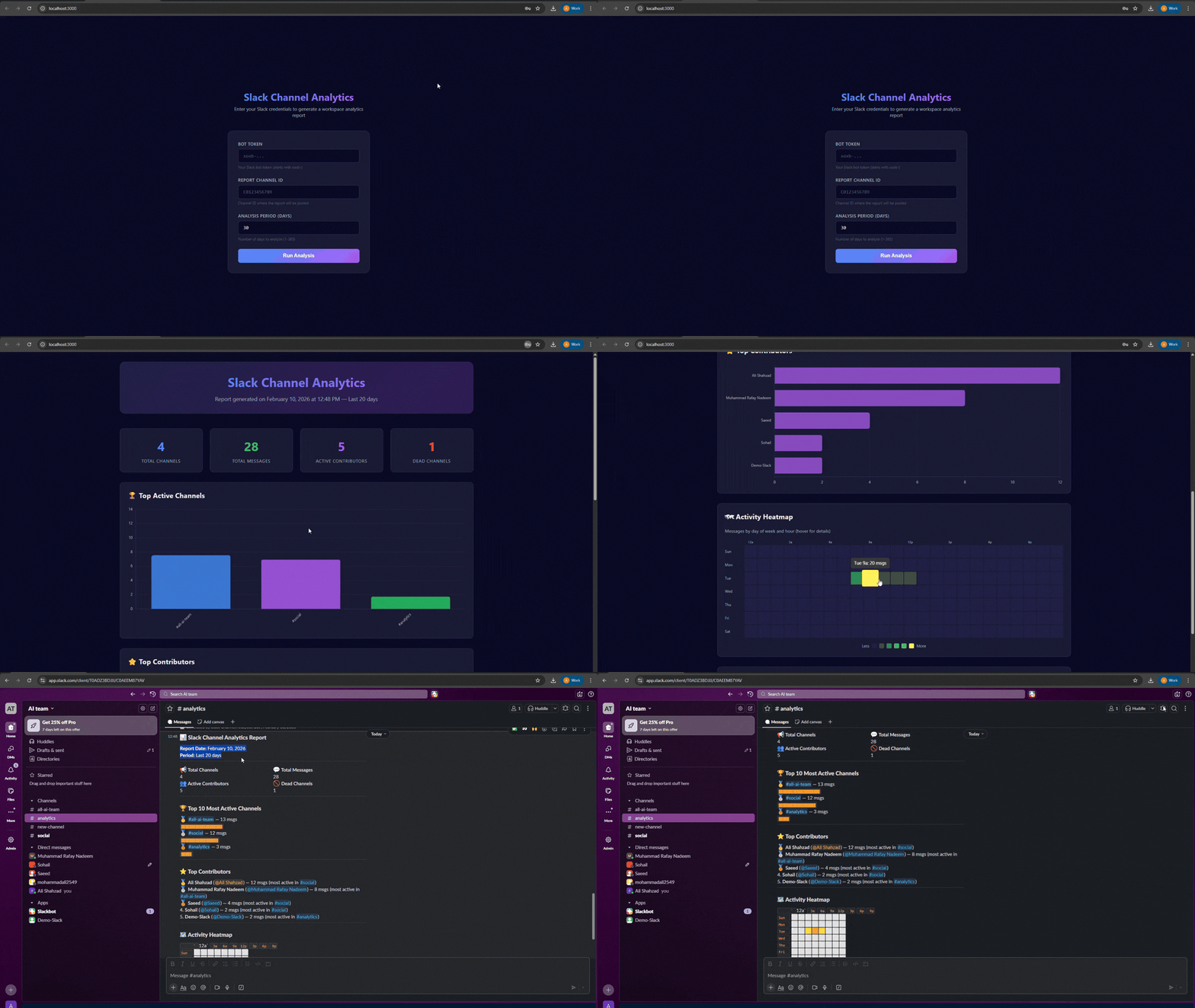
A real-time Slack workspace analytics tool that scans channels, analyzes message activity, identifies top contributors, and delivers rich reports — both as a Block Kit message posted to Slack and as an interactive Chart.js dashboard in your browser.
Slack Channel Analytics is a demonstration application that showcases how a fully functional, API-powered app can be generated using APIMATIC Context Plugins with a single command.
Key Features
- Full Workspace Scan — Automatically discovers all public and private channels with cursor-based pagination
- Message History Analysis — Fetches message history for configurable periods (1–365 days) and aggregates activity metrics
- Top Contributors Ranking — Resolves user IDs to display names and ranks the most active members
- Activity Heatmap — Generates a day-of-week vs. hour-of-day visualization showing peak workspace activity
- Dead Channel Detection — Identifies inactive channels to help clean up your workspace
- Slack Block Kit Report — Posts beautifully formatted reports directly to Slack with emoji heatmaps and bar charts
- Interactive Browser Dashboard — Serves a Chart.js-powered HTML dashboard with interactive visualizations
- Rate Limit Handling — Automatically respects Slack's API rate limits with graceful backoff